💌 Part two of the course is live / Max effort is overkill / 1-2-1 spaces for October
1 October 2026
buildwitholi
Hey,
Part two of the course is live and free, and I've got a limited number of spaces open for October 1-2-1 coaching, so if you want one, just reply to this email.
[IN SHORT] This week
- [NEW YOUTUBE VIDEO] Part two of the course gets you your bearings in Claude Code, so you can start building agents to support you to scale.
- [CASE STUDY] A business owner spread across several businesses went from pen and paper to an action list that updates itself every evening.
- [WORTH YOUR TIME]
- Max effort on Opus 5.5 is overkill most of the time, and slow with it.
- Free Claude credits to claim before 8 October, especially if you keep hitting your limit.
[NEW YOUTUBE VIDEO] Part two of the course
Part one got you set up, and part two gets you your bearings in Claude Code, so you can start building agents that take work off you.
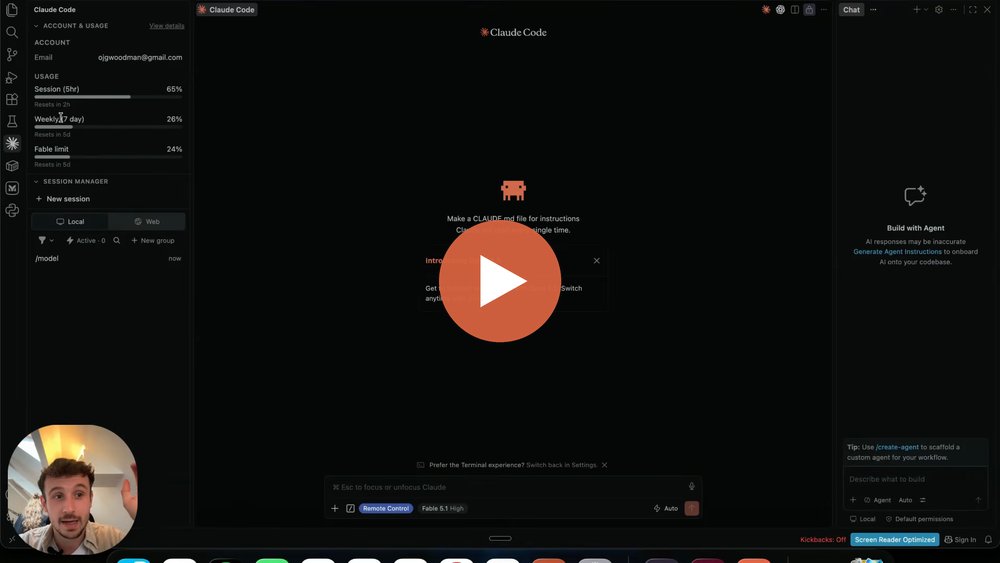
Most of the business owners I work with use Claude every day, but are still doing most of the admin.
My advice to get past this is to set up in Claude Code, and that's where this one starts.
It covers:
- What Claude Code is, and why your business's files belong on your computer rather than in Anthropic's cloud.
- The five-hour window, the weekly limit, and tokens, the currency every model runs on.
- Haiku, Sonnet, Opus and Fable, and the setup I'd use on the Pro and Max plans.
- Effort levels, and how much thinking to put behind a task.
- Running chats side by side, and picking up a chat from your phone.
I also show where my own usage goes, and 82% of it was in chats I let run past 150,000 tokens.
The pre-work and the first two stages of the course are free once you sign up.
It's written for business owners rather than developers, so you can work through it alongside the videos (as they come out).
[CASE STUDY] An action list that updates itself
This week's one is from work with a business owner spread across several businesses, who was running everything from pen and paper.
If you're wearing lots of hats you'll know the feeling, the actions are buried in your inbox and the list lives in your head or on a notepad.
He'd had Claude build him a master action list in a chat once, then couldn't find it again in his chat history.
What he wanted was every email read and every action from them in one place, so nothing slips.
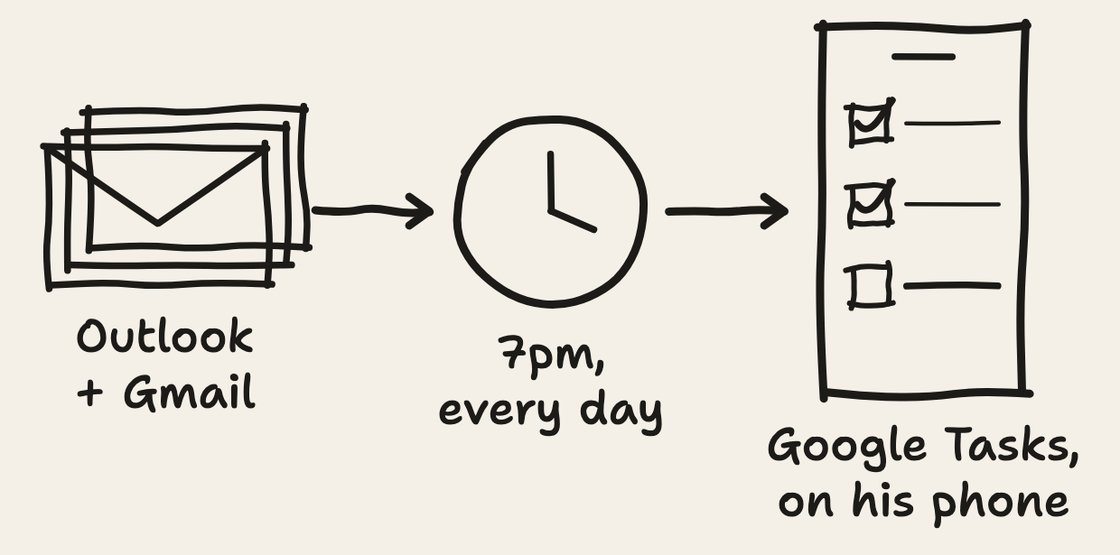
So in our third session we set up a run at 7pm every day that reads his Outlook and his Gmail and pulls out every action.
We tried Microsoft To Do first and it wouldn't sign in cleanly, so the actions go into Google Tasks, which syncs to his phone, his iPad and his laptop.
And in his words:
"The actions list and linking it to Google Tasks is awesome and working really well for me."
What he's now working on is getting it to start the tasks for him as well:
- Where a task is a reply, Claude drafts the email and leaves it in his drafts for him to read and send.
- Where it's a document, like a review or a board paper, it pulls the material together and writes the first draft.
[WORTH YOUR TIME] Max effort, and free Claude credits
Max effort is overkill on Opus 5.5
Of all the models, Opus 5.5 is the one where dialling the effort up and down makes the clearest difference.
Max really is overkill a lot of the time.
It takes frustratingly long to do things, and if that isn't enough to stop you using it the whole time...
...even Anthropic say it's prone to overthinking, and that turning it all the way up can give diminishing returns.
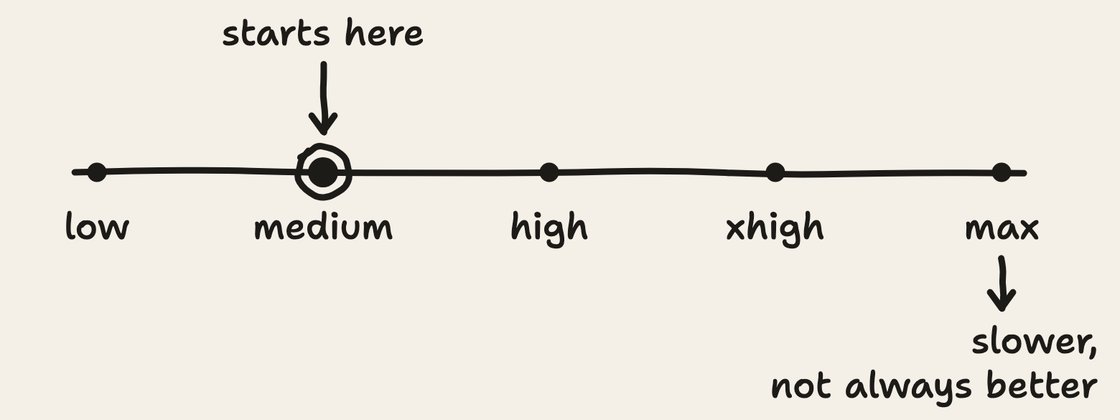
I know this goes against other advice I've given in the past, but this AI world moves quickly!
Opus 5.5 starts on medium, so if you've turned it up, try bringing it back down and keep max for the genuinely hard problems.
To change it in Claude Code, click the model name at the bottom of the chat box and use the Effort row.
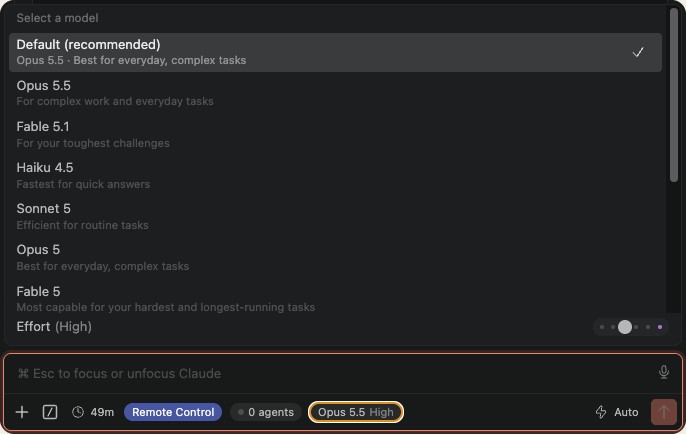
I go through how I set mine in part two.
Claim your free Claude credits
If you're on Pro or Max, Anthropic are giving you free credit for cloud sessions, which is Claude working on their computers instead of yours, $100 on Pro and $250 on Max.
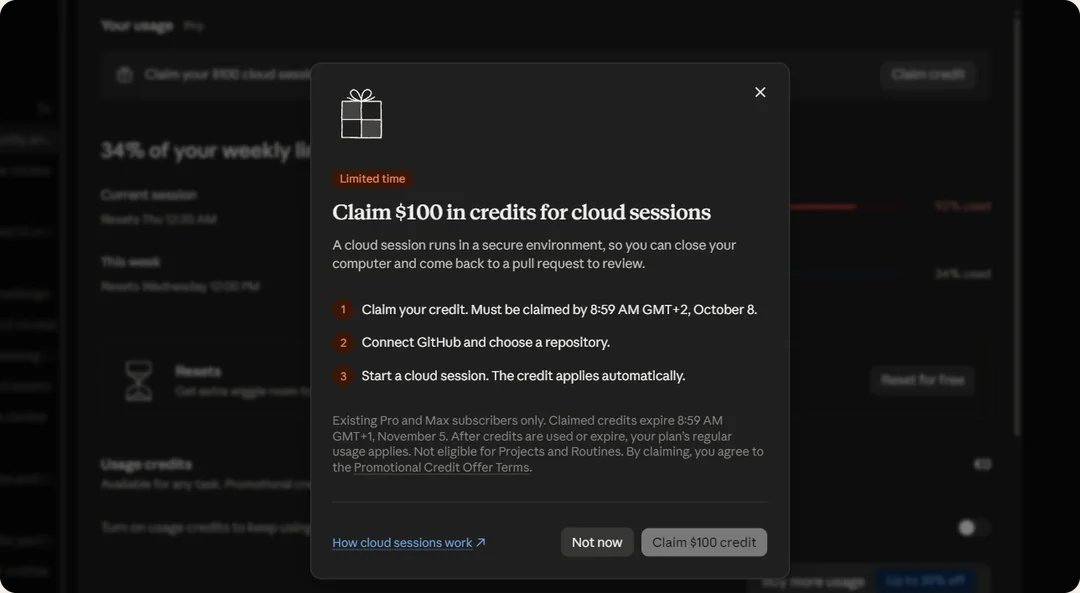
It doesn't touch your usage limits, so when you've used your plan up for now you can carry on in the cloud and close your laptop while it works.
The one catch is that it doesn't cover routines, the jobs you schedule to run on their own, so spend it on the long jobs you start yourself.
Claim it before 11:59pm Pacific on 7 October, which is about 8am on the 8th in the UK, and anything you haven't used by 4 November goes.
The page has the claim link, what a cloud session is in plain English, and the jobs worth spending the credit on.
Thank you for reading.
If you're a consultant or a coach, I've got a limited number of spaces open for October, where we make your business AI native and build your ecosystem together, 1-2-1.
We start with the admin around the client work that's eating your time, then move on to how your business can scale.
By the end, you've got a Claude that knows your business, so you're back to the thinking and the delivering.
If that sounds like you, reply to this email and we'll go from there.
Chat soon,
Oli